

Skip to content
Tape Measure app icon

Tape Measure · AR tape measure and ruler for iPhone

Measure anything with your iPhone

A tape measure, ruler and bubble level in one app. Point the camera to measure length, distance, area and height, or sketch a room's floor plan. Every measurement is saved so you can find it later.

Download Tape Measure on the App StoreDownload Tape Measure on the App Store

Free · iPhone

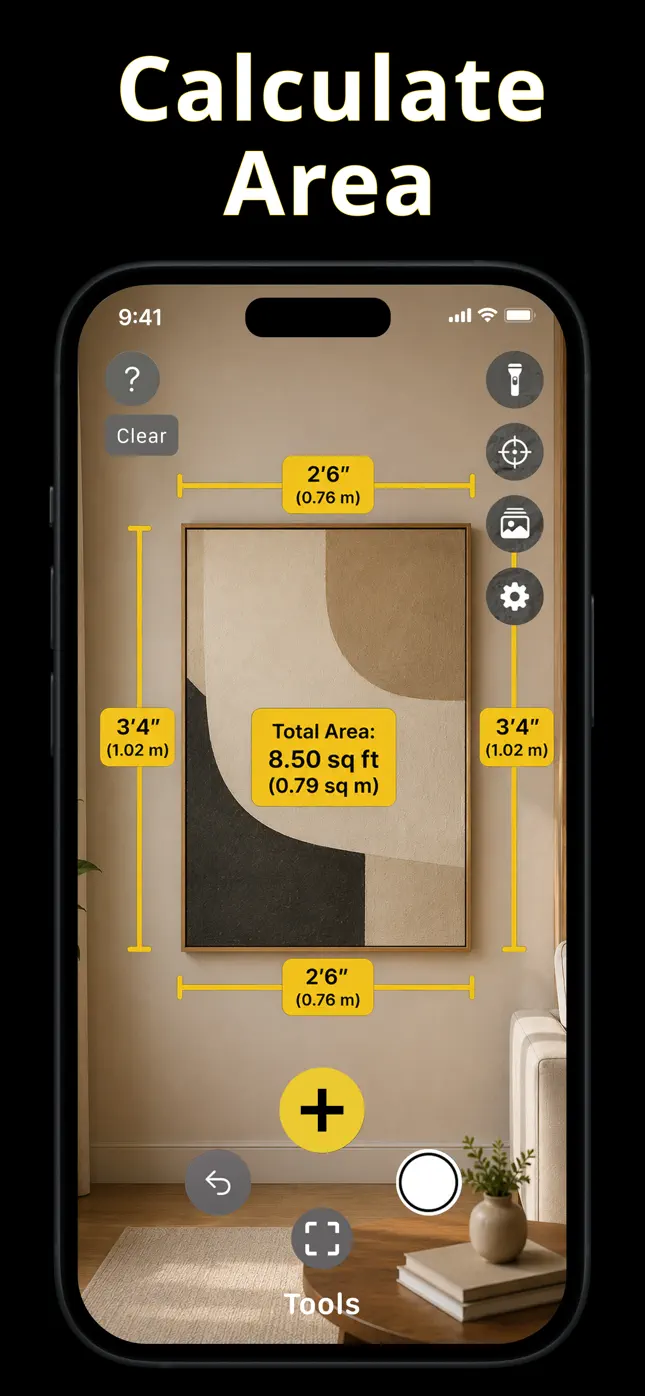
Tape Measure showing the width, height and total area of a framed picture on a wall
  • Tape measure and ruler

    Point and tap, or measure small things on screen

  • Bubble level

    Plus a laser level and surface level

  • Floor plans

    Room outlines saved in a plan library

  • Measurement history

    Save a photo with your measurements on it

How it works

How to measure with your iPhone camera

  1. Area measurement of a framed picture
    1

    Choose a tool

    Open Tools and pick what you need: tape measure, ruler, area, height, distance, level or floor plan.

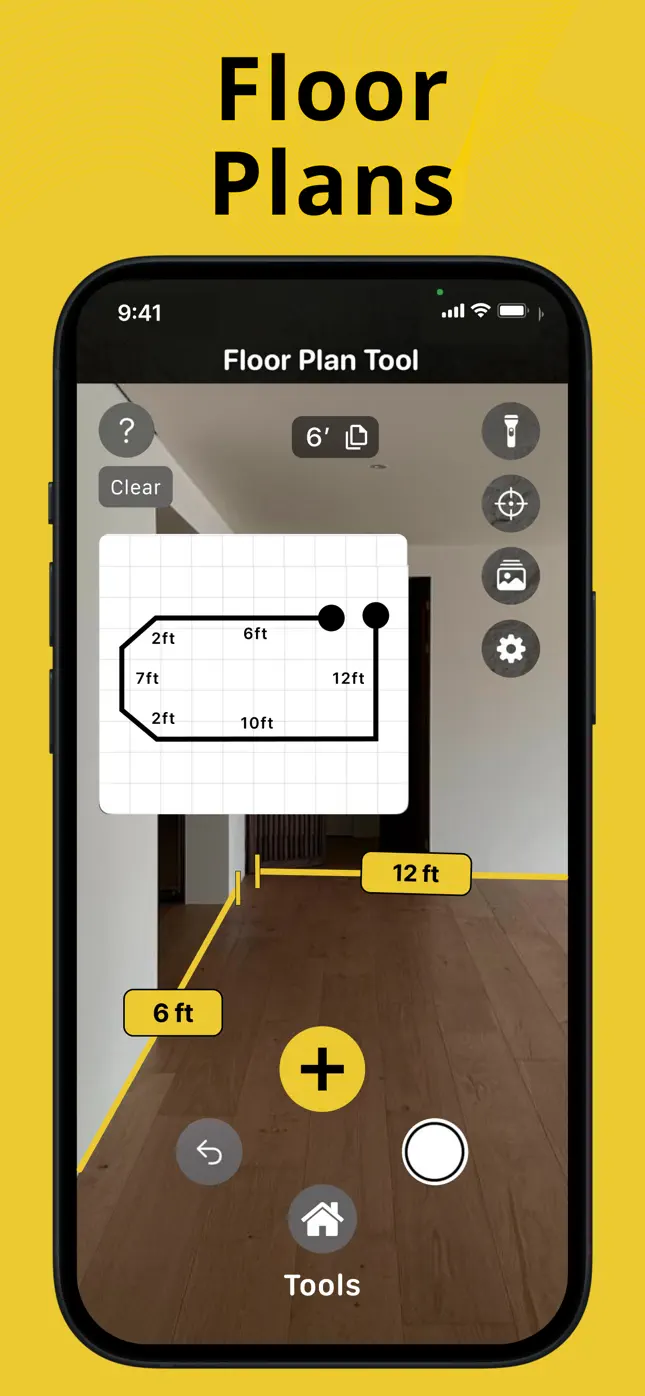
  2. Floor Plan Tool measuring the walls of an empty room
    2

    Tap to set your points

    Aim at the starting point and tap the plus button. Move to the end point and tap again. The length appears on screen as you go.

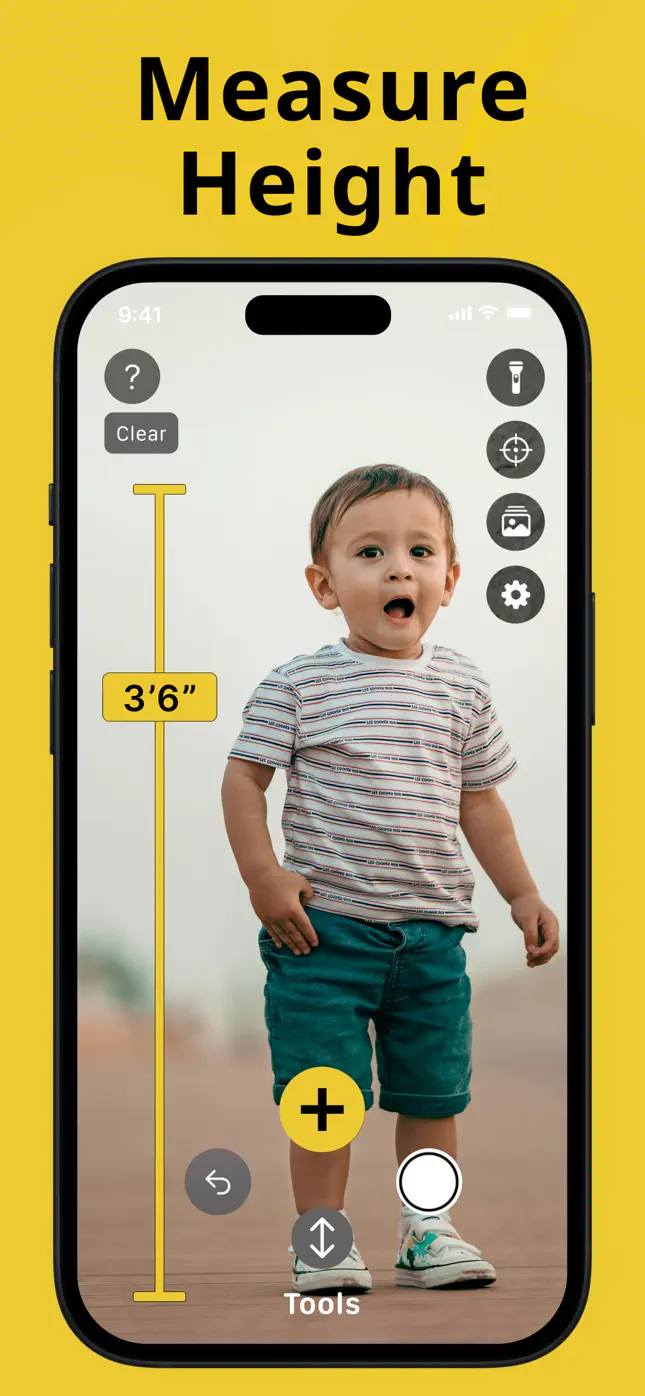
  3. Height measurement of a child showing 3 feet 6 inches
    3

    Save or share the result

    Save a photo with your measurements on it, share or export it, or find it later in your measurement history. Switch between imperial and metric whenever you like.

Bubble level app

Bubble level for shelves and frames

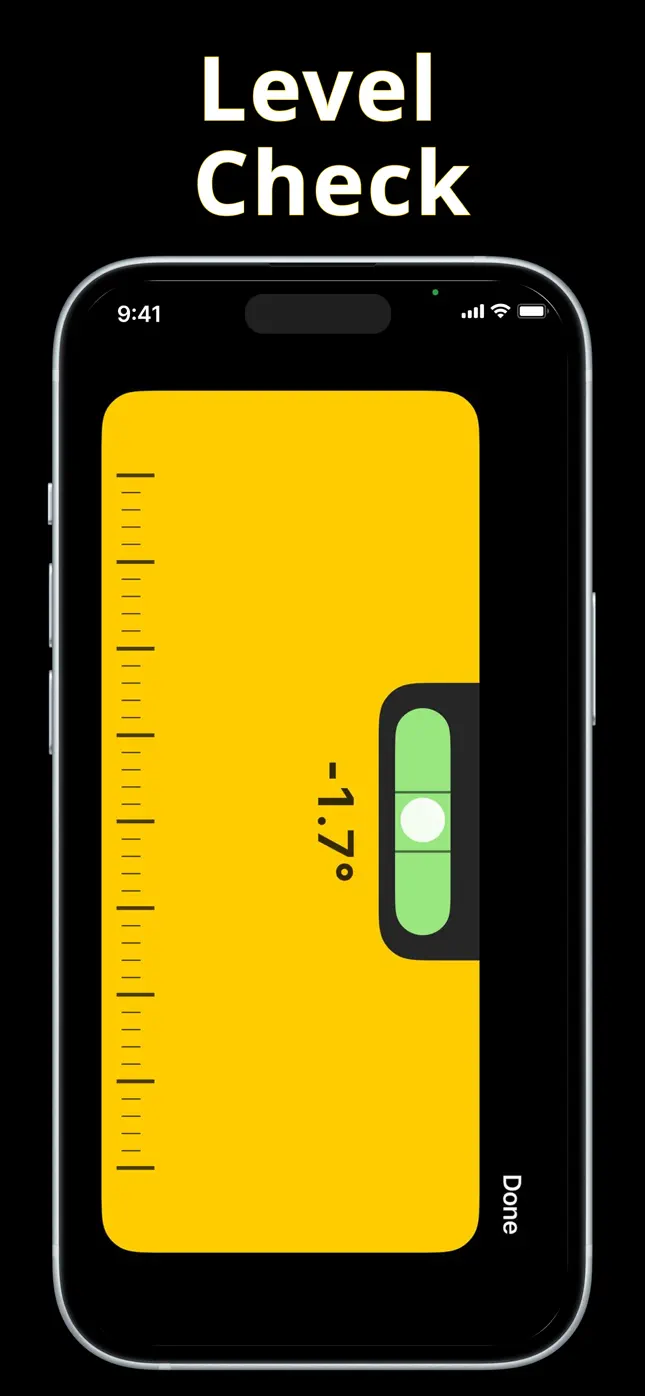
Lay your iPhone on a shelf or hold it against a frame. The bubble level shows the tilt in degrees, so you can adjust until it reads zero. A laser level and surface level are there for other jobs.

  • Tilt shown in degrees
  • Laser level and surface level too
  • Works on shelves, frames and tables

Bubble level showing a tilt of minus 1.7 degrees

Height checker

Check a person's height

Use Person's Height to see how tall someone is. Stand back so the whole person is in view and follow the steps on screen. Vertical Height works the same way for doors, walls and furniture.

  • Height in feet and inches or centimeters
  • Vertical height for doors and walls
  • Saved in your measurement history
Tape Measure measuring a child's height at 3 feet 6 inches

Floor plan app

Sketch a room's floor plan as you walk it

Walk around the room and tap at each corner. Tape Measure draws the outline, labels every wall, and saves the plan to your plan library, ready to export and share.

  • Wall lengths marked on the plan
  • Plan library to keep every room
  • Useful for flooring, paint and moving
Floor Plan Tool drawing a room outline with wall lengths in feet

Distance measuring

Measure distance to far-away objects

Need an app to measure distance? Use the tape measure for anything you can walk along, from one point to the next. For something you can't reach, aim Laser Distance at it and read the distance on screen.

  • Laser distance for far-away objects
  • Point-to-point length with the tape measure
  • Imperial or metric units
Floor Plan Tool measuring the walls of an empty room with lengths in feet

Save and share

Save a photo with your measurements on it

Once you've measured something, save a photo with the measurements drawn on it, then share or export it. It's an easy way to send sizes to a carpenter, a store or a friend helping you move.

  • Measurements drawn on the photo
  • Share or export it
  • Floor plans can be exported too
Tape Measure showing the width, height and total area of a framed picture on a wall

On-screen ruler

Measure small things on the screen

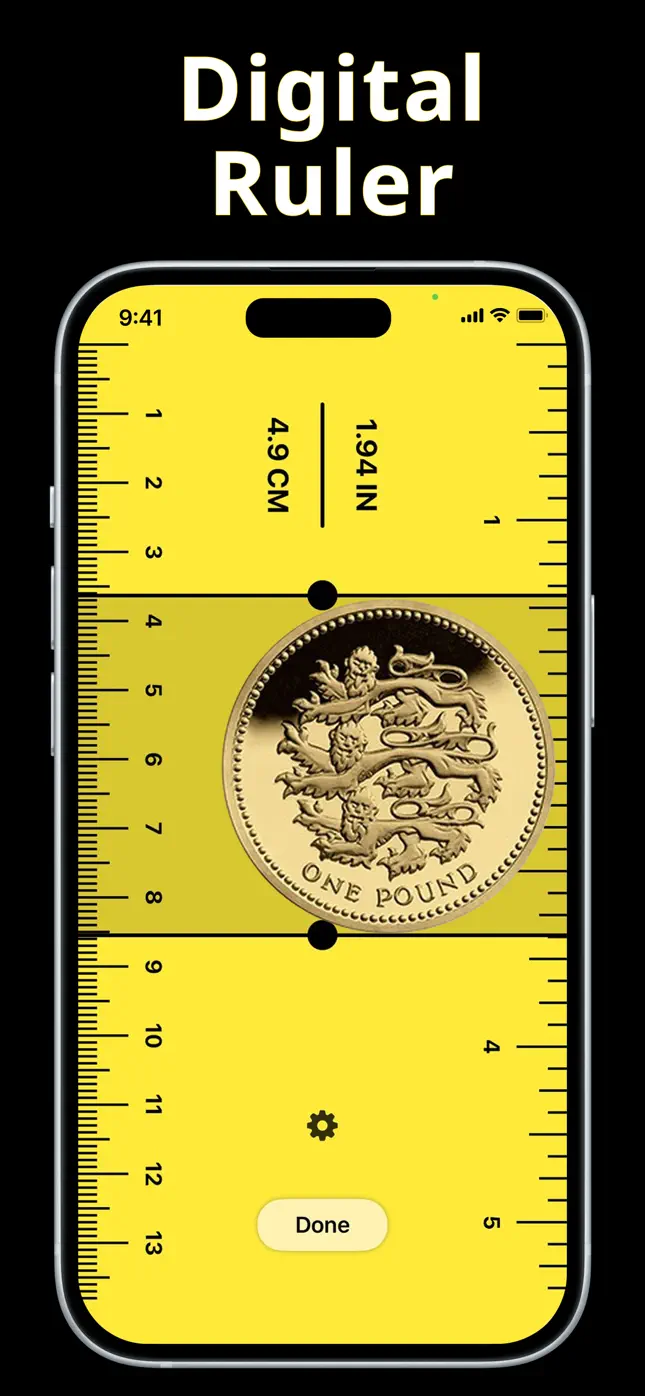
For a coin, a screw or a bead, place it on the screen and move the markers to its edges to read the size. Ring Size Measure helps when you need to find a ring size.

  • Inches and centimeters side by side
  • Ring size measure
  • No camera needed
On-screen ruler measuring a coin at 1.94 inches or 4.9 centimeters

Who it's for

Made for everyday measuring

  • DIY and home projects

    Measure walls, shelves and frames, then check they're level before you drill.

  • Moving and furnishing

    Check whether the sofa fits the space before you buy it.

  • Renters and home buyers

    Sketch a floor plan of each room during a viewing.

  • Parents

    Check how tall the kids are getting.

FAQ

Questions about Tape Measure

Something else? Email us at [email protected].

Is Tape Measure free?

Yes. Free to download. Basic measuring is free and unlimited.

How do I measure with my iPhone?

Open the app, choose the tape measure tool, aim at the starting point and tap the plus button. Move the phone to the end point and tap again to see the length. You can also measure by touching the phone directly to an object.

How do I measure distance with my iPhone?

For something you can reach, use the tape measure: tap the plus button at the start, move to the end point and tap again. For something farther away, open Laser Distance, aim at it and read the distance on screen.

What can Tape Measure measure?

Length and distance, area, surfaces, angles, vertical height, a person's height, trajectory and ring size. It also has a bubble level, laser level and surface level, a floor plan tool with a plan library, an on-screen ruler and a flashlight.

Can I use my iPhone as a bubble level?

Yes. Open the bubble level and lay your iPhone on a shelf or hold it against a frame. The tilt is shown in degrees, so you can adjust until it reads zero. There is also a laser level and a surface level.

How do I measure someone's height with my iPhone?

Choose Person's Height, stand back so the whole person is in view, and follow the on-screen steps. The height appears next to them in feet and inches or in centimeters.

Can I save a photo with the measurements on it?

Yes. After you measure, save a photo with the measurements drawn on it, then share or export it. Floor plans can be exported too. The app measures what's in front of the camera, so it can't measure a photo you've already taken.

How accurate is a tape measure app?

It works best in good light, on surfaces with some texture, with the phone held steady. That makes it great for planning and quick checks. When a few millimeters matter, such as cutting wood or ordering a custom fit, confirm with a physical tape measure.

Which devices does it work on?

Tape Measure is an iPhone app.

How do I cancel a subscription?

Subscriptions are managed by Apple. On your iPhone, open Settings, tap your name, then Subscriptions, choose the app and tap Cancel Subscription. Cancel at least 24 hours before the period ends to avoid the next charge.

Start measuring with your iPhone

Free to download. Basic measuring is free and unlimited.

Download Tape Measure on the App Store

Privacy policy·Terms of service