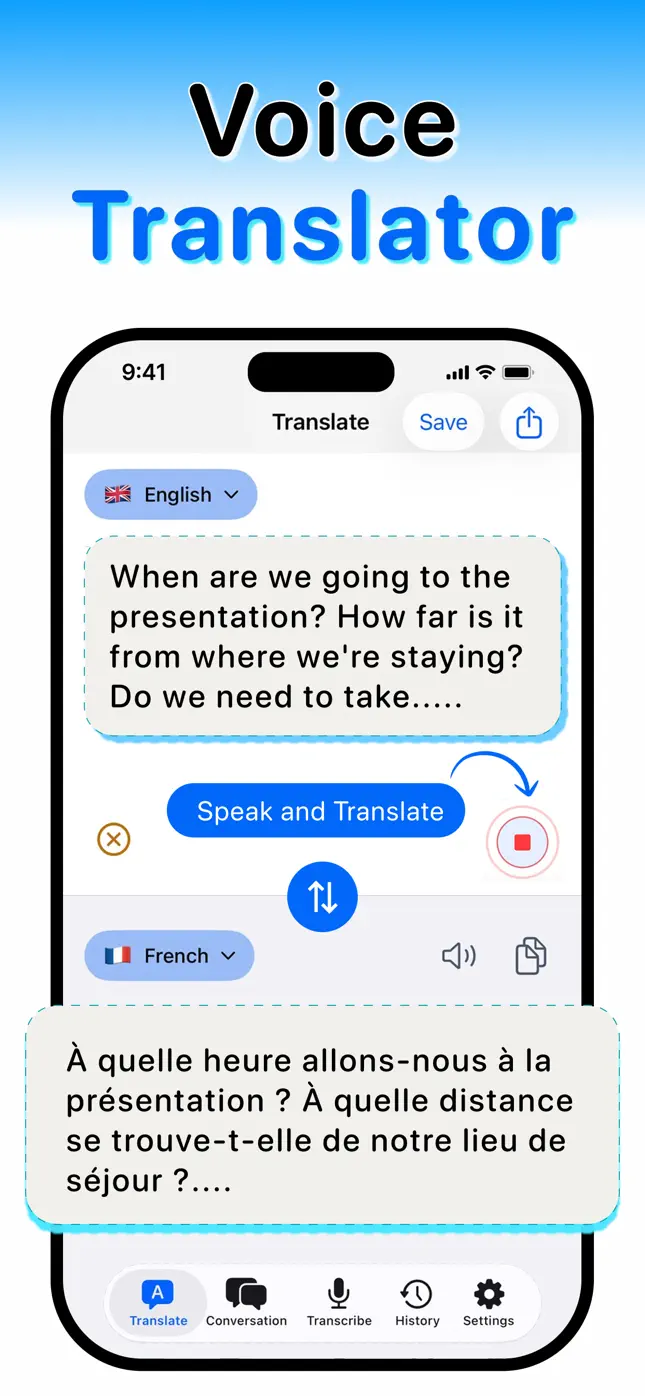
Speak or type, then read the translation in real time or hear it read aloud. Talk with someone in conversation mode, or turn speech into live captions. 19 languages, all offline.
Free · iPhone
Real-time translation
Speak or type, then read or hear it
Conversation translator
Two people, two languages, one phone
Live captions
Speech to text as people talk
19 languages, all offline
No Wi-Fi or mobile data needed
How it works
How live translation works
1
Download your languages
Connect to the internet once and download the language packs you need, ideally before you travel. After that, translation runs on your iPhone.
2
Speak or type
Pick the two languages, then tap the microphone and talk normally, or type what you want to say. The app writes down what was said and translates it in real time.
3
Read it, hear it, save it
Read the translation, play it out loud for the other person, then save or share the text if you want to keep it.
Real-time translator
Type or speak, then hear it read aloud
On the Translate tab, type a sentence or tap the microphone and talk. The translation appears below, and the speaker button reads it out loud so the other person can hear it.
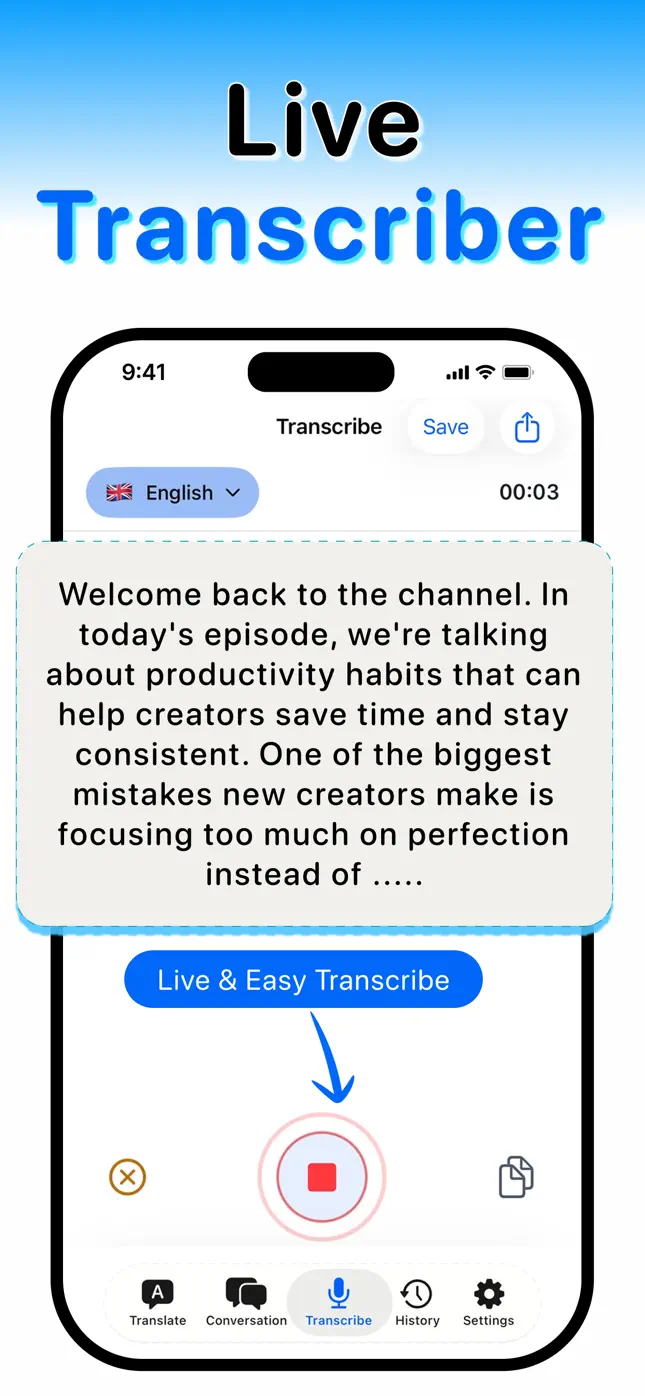
Live transcription turns speech to text on your screen in real time. It picks up voices from across the room, so it works for lectures, meetings and talks.
Automatic language detection
Clear capture from the back row
Save and share the transcript
Offline translator
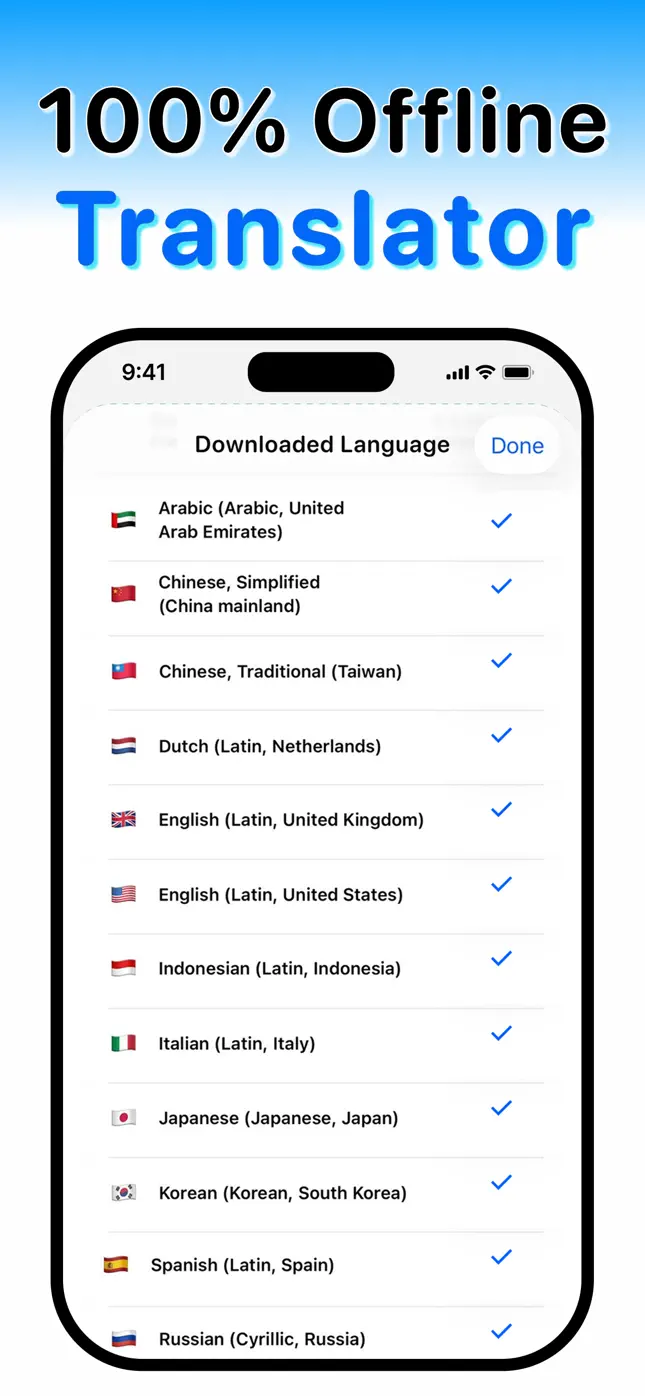
19 languages, all offline
Every language works with no connection once it's on your iPhone, so translation keeps going on flights, in subways and on trips abroad, with no roaming fees.
Download a language once, use it offline
No mobile data used while you translate
Choose only the languages you need
Conversation translator
Talk to someone who speaks another language
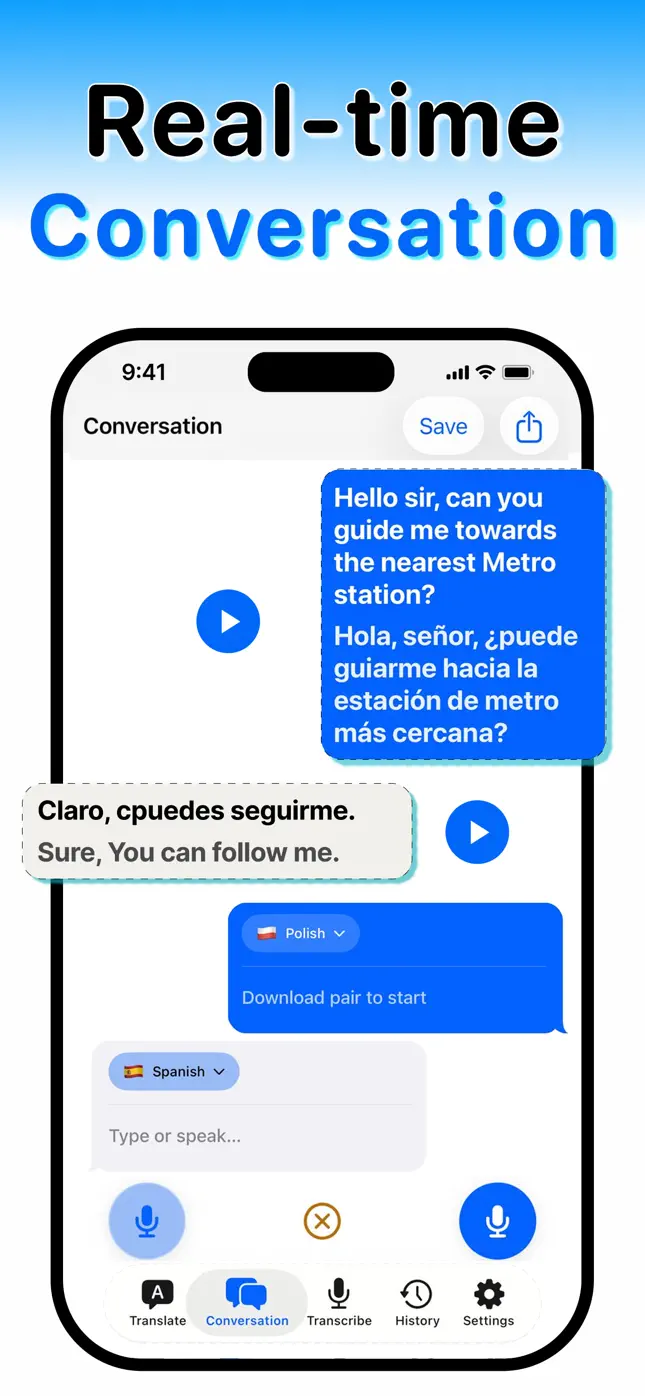
Conversation mode shows both sides of the chat on one screen. Each person taps their own microphone, speaks, and reads the reply in their language.
A microphone for each speaker
Original and translation shown together
Tap play to hear any line out loud
Languages
Every language, offline
Download the languages you need once. After that, translate between any two of them with no internet.
Translation and transcription happen on your device. Audio is never stored remotely, sent to the cloud or used to train AI models, and you don't need an account.
All processing on your iPhone
No audio uploaded or stored on servers
No login or sign-up
The first launch needs a short internet connection to download the language packs you choose. The app needs microphone access to hear speech.
Who it's for
Made for anyone who needs to follow what's being said
Travelers
Ask for directions, order food and read replies in real time, even with no data abroad.
International students
Follow lectures at full speed with live captions and save the transcript for later.
Deaf and hard of hearing people
Read what people around you say as text on your screen.
Journalists and professionals
Transcribe interviews, team meetings and conferences.
Free to download. Try live translation, transcription and conversation mode for free.
Is there an app that translates in real time?
Yes. Live Translator translates speech as you talk: speak into your iPhone and the translation appears on screen in real time, and you can play it out loud. You can also type text to translate, or use conversation mode to talk back and forth with someone.
Does it work without internet?
Yes. All 19 languages work offline once they're downloaded. Downloading a language needs an internet connection once, so get the ones you need before you travel, while you still have Wi-Fi. After that, translation and transcription run on your iPhone with no Wi-Fi or mobile data.
How do I translate a conversation?
Open the Conversation tab and choose a language for each person. Each speaker taps their microphone and talks, and the app shows the original and the translation on one screen. Tap play to hear a line read aloud.
Can I type text instead of speaking?
Yes. On the Translate tab you can type what you want to say instead of speaking. The translation appears below, and you can tap the speaker button to hear it read aloud.
Can it caption a lecture or meeting live?
Yes. The Transcribe tab turns speech to text as people talk and detects the language automatically. It's built to pick up voices from a distance, so you can use it from the back of a lecture hall. You can save and share the transcript afterward.
Which languages can I translate?
Live Translator works in 19 languages, all offline: Arabic, Chinese (Simplified and Traditional), Dutch, English (US and UK), French, German, Hindi, Indonesian, Italian, Japanese, Korean, Polish, Portuguese (Brazil), Russian, Spanish (Spain), Thai, Turkish, Ukrainian and Vietnamese.
Is my audio private?
Yes. Audio is processed on your device and is never stored remotely, sent to the cloud or used to train AI models. You don't need to create an account.
Which devices does it work on?
Live Translator is an iPhone app. It needs microphone access to hear speech.
How do I cancel a subscription?
Subscriptions are managed by Apple. On your iPhone, open Settings, tap your name, then Subscriptions, choose the app and tap Cancel Subscription.
Start translating live
Free to download. Try live translation, transcription and conversation mode for free.