Pill Identifier · Identify pills by picture on iPhone
A pill identifier that works from a photo
Not sure what kind of pill this is? Take a photo of the pill or its pack. Pill Identifier shows what it is, what it's used for, its common side effects and possible interactions.
Free · iPhone
Pill ID by picture
Use the camera or a photo you already have
Drug information
Uses, how it works and side effects
Interaction checker
Possible interactions with other medicines
Medication tracker
A pill counter for doses and supply
How it works
How to identify a pill by picture
1
Take or upload a photo
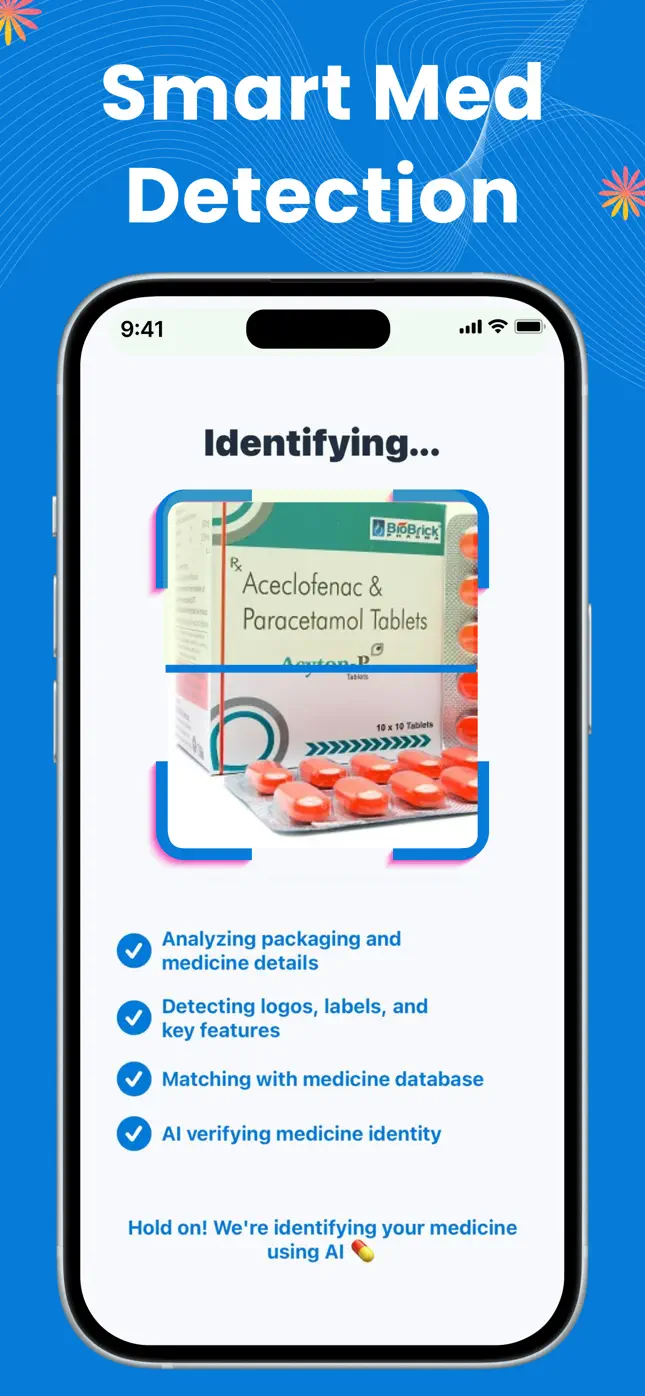
Photograph the pill on a plain surface, or the box or blister pack if you have it. You can also choose a photo from your library.
2
Let the AI check it
Pill Identifier looks at the pill or pack, reads labels and markings, and matches them against its medicine database.
3
See what kind of pill it is
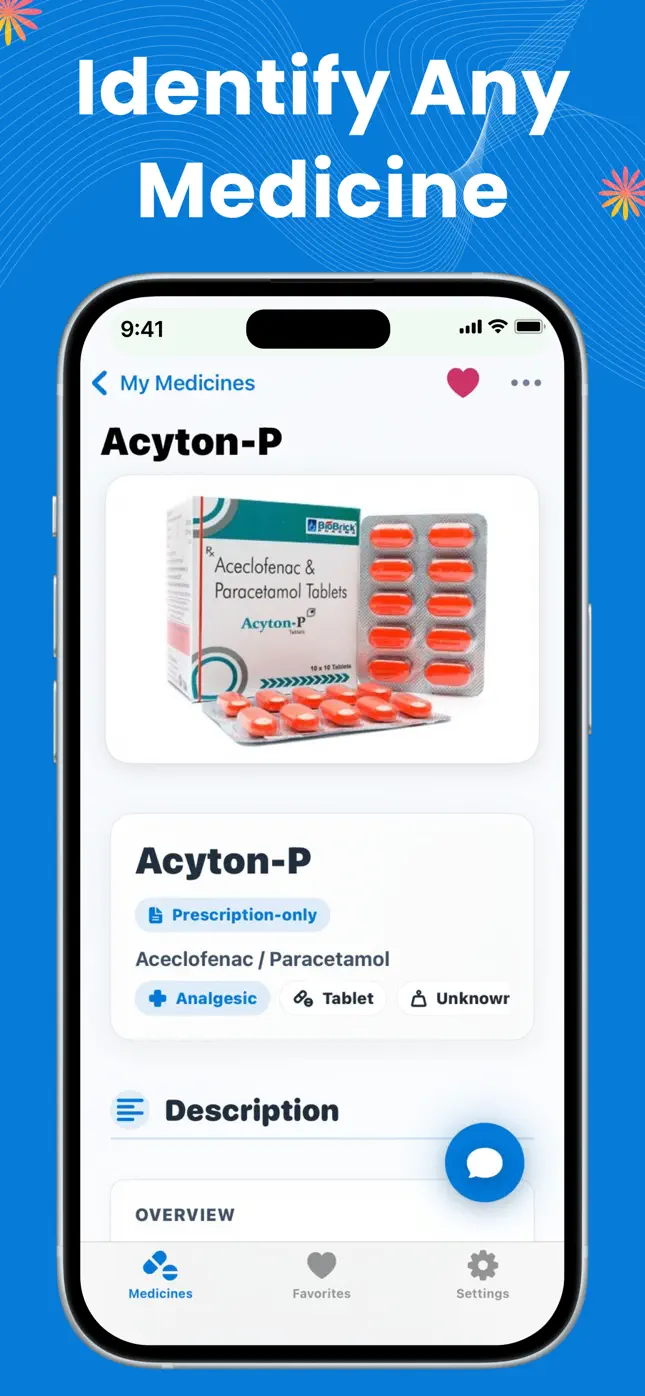
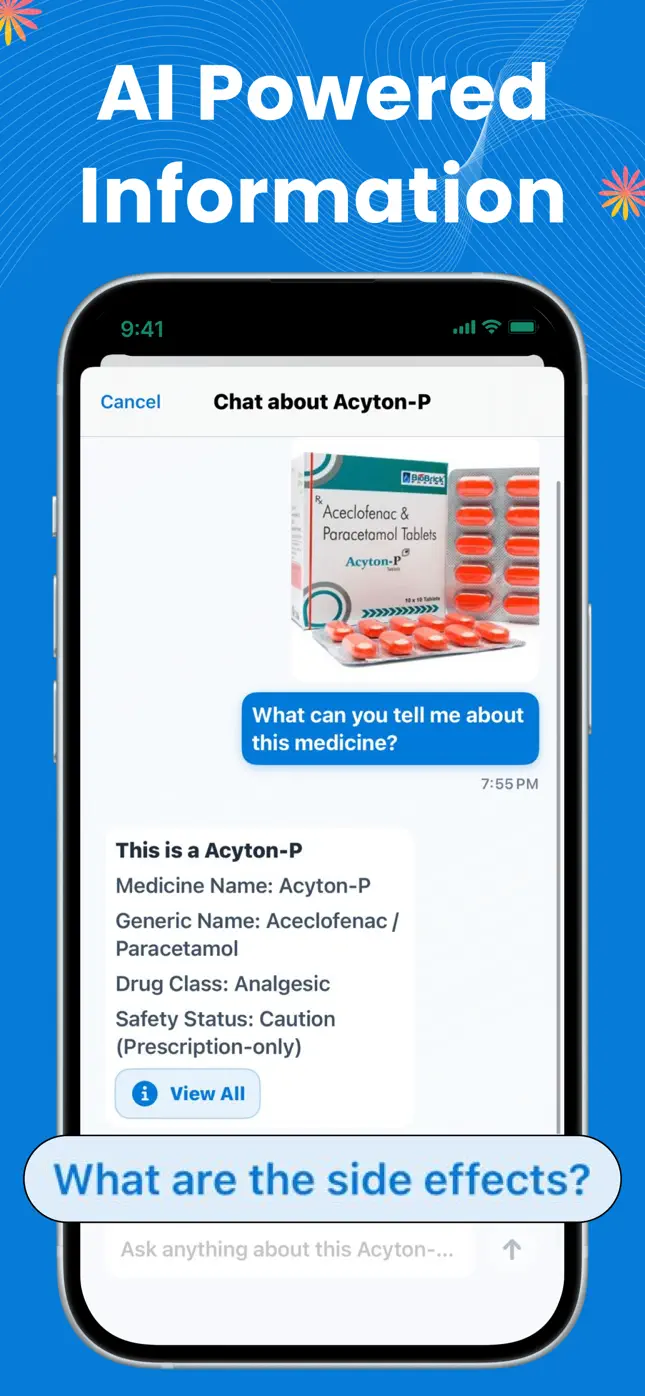
See the medicine name, generic name, drug class and whether it's prescription-only, followed by a plain description.
Drug information
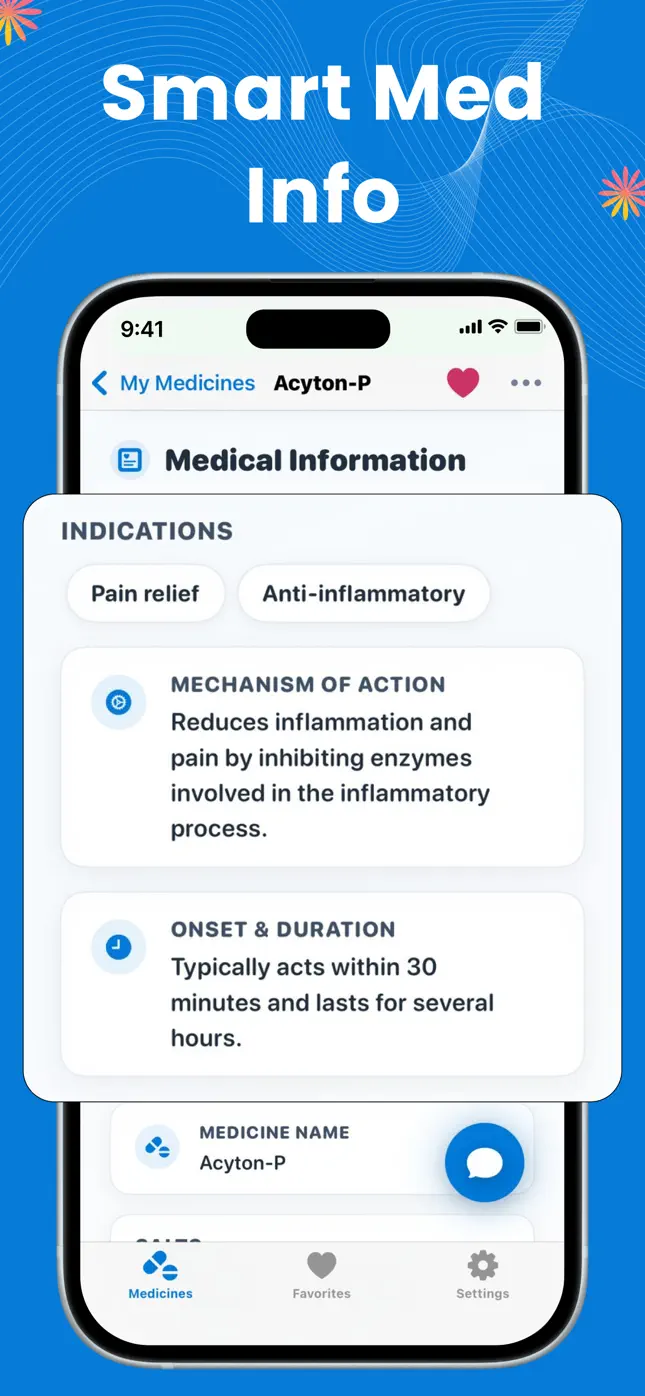
Know what a pill is for and how it works
Every pill you identify comes with clear drug information, so you can understand a medicine before you talk to your pharmacist or doctor about it.
What it looks like, what it contains and what it treats
How the medicine works in the body
Common side effects and possible interactions
Drug interaction checker
See what a medicine may interact with
Each pill you identify lists its possible interactions with other medicines, so you have a starting point for a conversation with your pharmacist.
Possible interactions with other medicines
Shown with every medicine you identify
Always check with a pharmacist or doctor before combining medicines
Ask about your medicine
Ask a question about the pill you scanned
Want to know more about the side effects or what it's used for? Ask in a chat and get an answer about the medicine you just identified.
Questions answered for the medicine on screen
Side effects, uses and general guidance
Ask as many questions as you like about the pill you identified
Prescription details
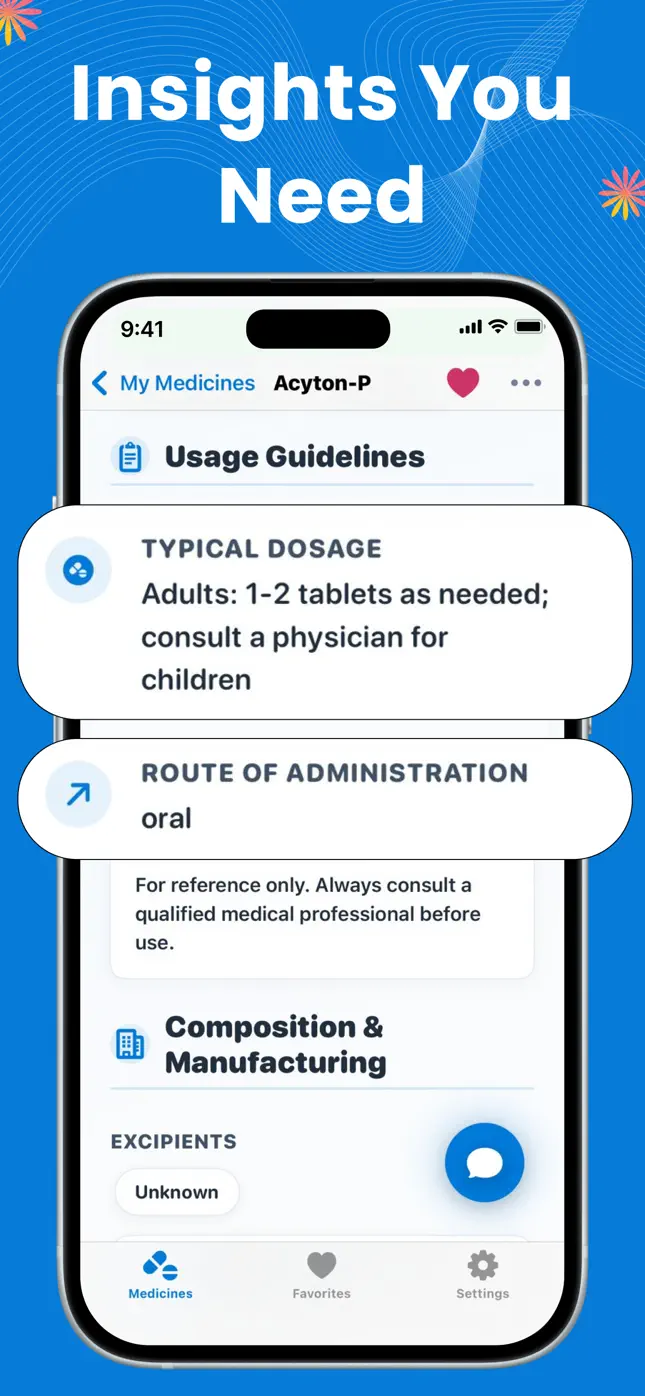
Full prescribing details in one place
The detail you'd normally find on a package insert, written so it's easy to scan on your phone.
Directions, missed doses and things to avoid
Pregnancy and breastfeeding information
Contraindications, adverse reactions and lab test effects
Medication tracker
Keep track of the medicines you take
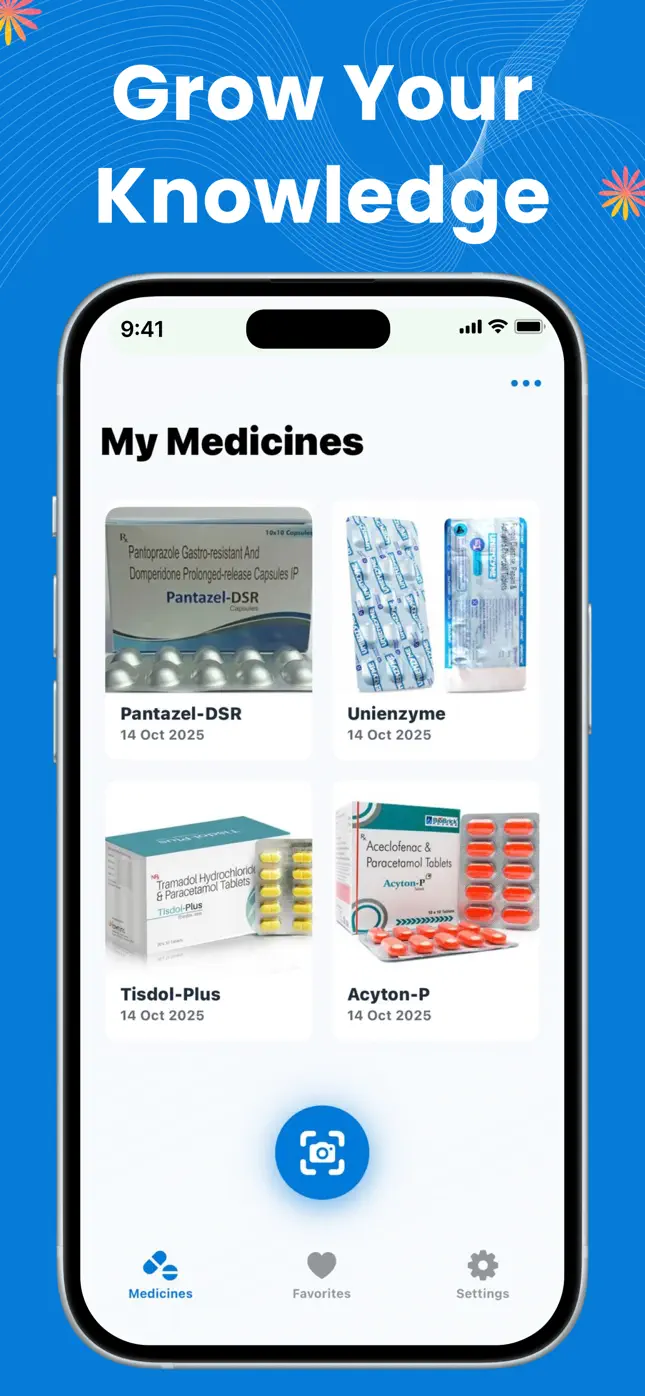
Save the medicines you identify and use the pill counter to track your doses and how much you have left.
A saved list of the pills you've identified
Pill counter for doses and remaining supply
Favorites for the medicines you take often
Medical disclaimer
For information only, not medical advice
Pill Identifier helps you look up a pill and read about it. It does not diagnose or treat anything, and like any photo tool it can get things wrong. Check every result with a pharmacist or doctor before you take, stop or change a medicine.
Confirm any identification with a pharmacist or doctor
Don't take a pill you can't identify for certain
Keep medicines in their original, labeled packaging when you can
In an emergency, or if someone may have taken a medicine that wasn't meant for them, call your local emergency number or, in the US, Poison Control at 1-800-222-1222.
Who it's for
Made for anyone who handles medicines
People on several medicines
Tell your pills apart and read what each one is for.
Caregivers
Check the pills you give a parent, partner or child before you talk to their pharmacist.
Anyone clearing out a cabinet
Find out what that loose pill or unlabeled pack is before you decide what to do with it.
Nurses and pharmacy staff
A quick reference on your phone to sit beside your usual clinical sources.
Free to download. Try it free on your first pill, and ask as many questions as you like about it.
How do I identify a pill?
Open Pill Identifier, tap the scan button and take a photo of the pill, or choose one from your photo library. After a few seconds you'll see the medicine's name, generic name, drug class and a description, along with side effects and possible interactions. Then confirm the result with a pharmacist.
Can I take a picture to identify a pill?
Yes. Pill Identifier is a pill identifier by picture: it works from a photo of the pill, or of its box or blister pack. Put the pill on a plain, well-lit surface and get close enough that the shape, color and any markings are sharp.
Can I identify a pill by its imprint, color or shape?
Pill Identifier works from a photo rather than a typed search. Take a sharp, close photo that shows the pill's shape, color and any imprint, or photograph the box or blister pack if you still have it. If the result isn't clear, a pharmacist can identify a pill from its imprint.
What information does it show for each medicine?
You'll see what the medicine is, its generic name and drug class, what it's used for, how it works, common side effects and possible interactions. You can also ask questions about it in the chat.
Can it check drug interactions?
Yes. Each medicine you identify shows its possible interactions with other medicines. Use it as a starting point, and always ask your pharmacist or doctor before combining medicines.
Can I rely on the result instead of asking a pharmacist?
No. Pill Identifier is for information only and is not medical advice. Like any photo tool it can get things wrong. Use it to get a first idea of what a pill is, then confirm with a pharmacist or doctor before you take it. If you find a pill you can't identify, don't take it.
What if someone may have swallowed an unknown pill?
Don't wait for an app. Call your local emergency number, or in the US call Poison Control at 1-800-222-1222.
Which devices does it work on?
Pill Identifier is an iPhone app.
How do I cancel a subscription?
Subscriptions are managed by Apple. On your iPhone, open Settings, tap your name, then Subscriptions, choose the app and tap Cancel Subscription.
Identify your first pill today
Free to download. Try it free on your first pill, and ask as many questions as you like about it.