

Skip to content
Paraphrase Tool app icon

Paraphrase Tool · Paraphrasing app for iPhone, iPad and Mac

Rewrite any text in the tone you need

A paraphrasing app for iPhone, iPad and Mac. Paste a sentence, an essay or a PDF and get a clearer version that keeps your meaning. Check grammar, humanize AI text and write bios in the same app.

Download Paraphrase Tool on the App StoreDownload Paraphrase Tool on the App Store

Free · iPhone, iPad and Mac

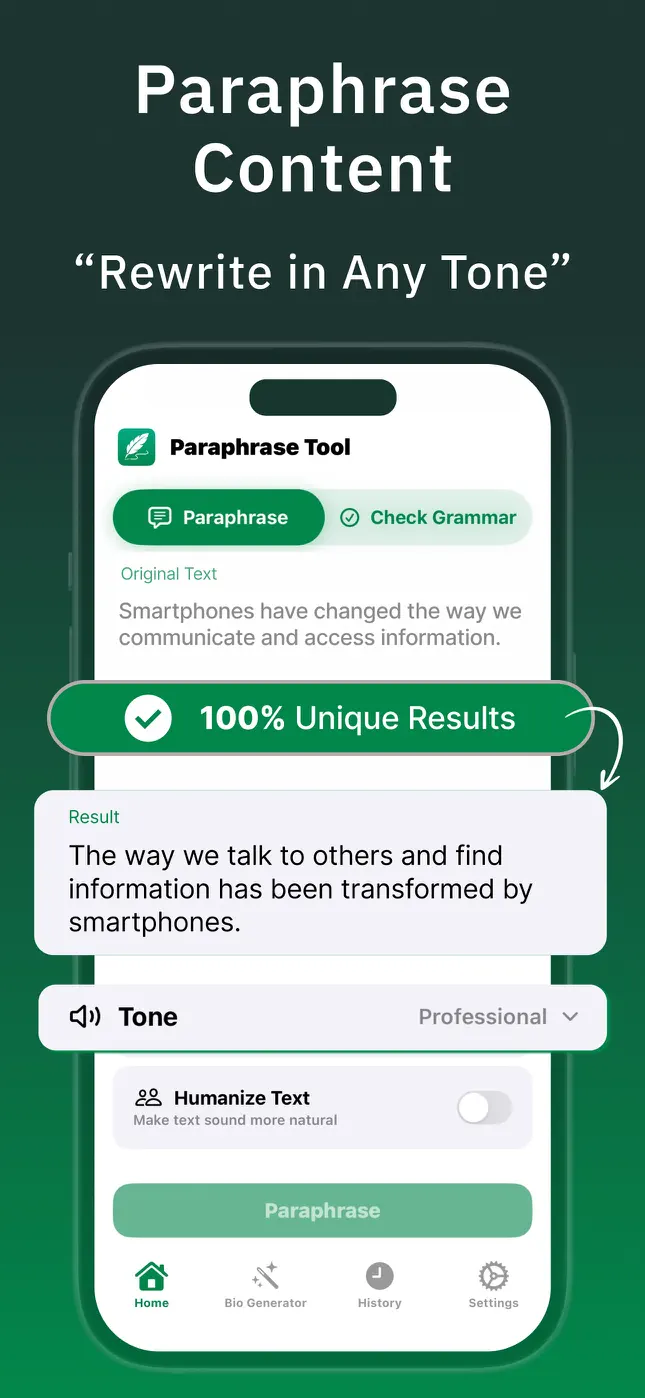
Paraphrase Tool rewriting a sentence about smartphones in a professional tone
  • Any tone

    Rewrite text to sound professional, casual and more

  • AI humanizer

    Make AI-generated text read more naturally

  • Free grammar check

    Grammar, spelling and punctuation, free and unlimited

  • AI bio generator

    Bios for Instagram, TikTok, LinkedIn and dating apps

How it works

How to paraphrase text on your phone

  1. Input area with buttons to dictate, choose a language, upload a file or paste text
    1

    Add your text

    Type or paste it, dictate it, or upload a document, PDF or image. A sentence works, and so does a full essay.

  2. Tone menu set to Professional with the Humanize Text switch turned on
    2

    Pick a tone

    Choose how the result should sound. Turn on Humanize Text if you want it to read more like a person wrote it.

  3. Paraphrased result shown under the original text
    3

    Use the new version

    Read the new version and use it wherever you need it, or try another tone. Every result is saved to your history.

Paraphrasing app

Paraphrase a sentence, an essay or a PDF

Type, paste or dictate your text, or upload a document, PDF or image. Pick a tone, such as professional or casual, and the app rewrites it in new words while keeping your meaning. Not quite right? Try another tone.

  • Professional, casual and more tones
  • Text, documents, PDFs and images
  • Every result saved to your history

Paraphrase Tool rewriting a paragraph in a casual tone

AI humanizer

Make AI text sound like you wrote it

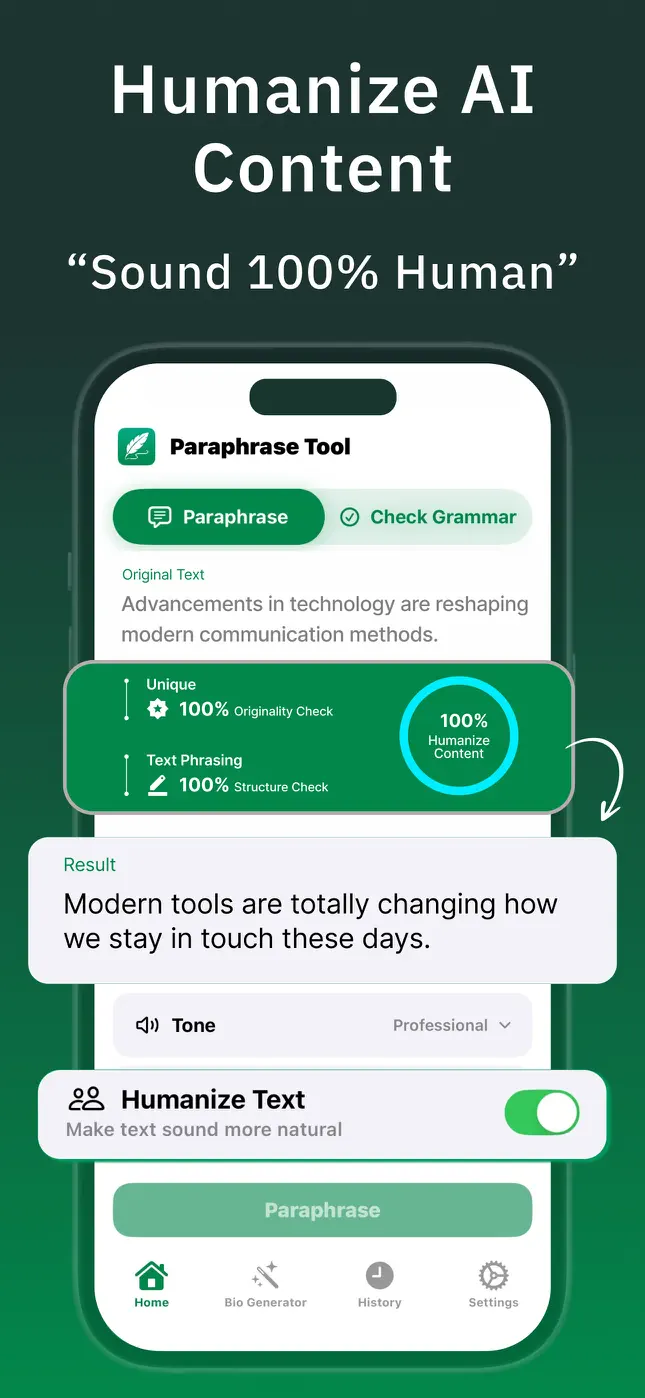
Drafts from chatbots often read stiff and repetitive. Turn on Humanize Text to humanize AI text: the app rewrites it with more natural phrasing and rhythm.

  • One switch on the paraphrase screen
  • Works with any tone you pick
  • Keeps the original meaning
Humanize Text turned on, with a stiff sentence rewritten in a more natural way

Grammar checker

Catch grammar mistakes before you hit send

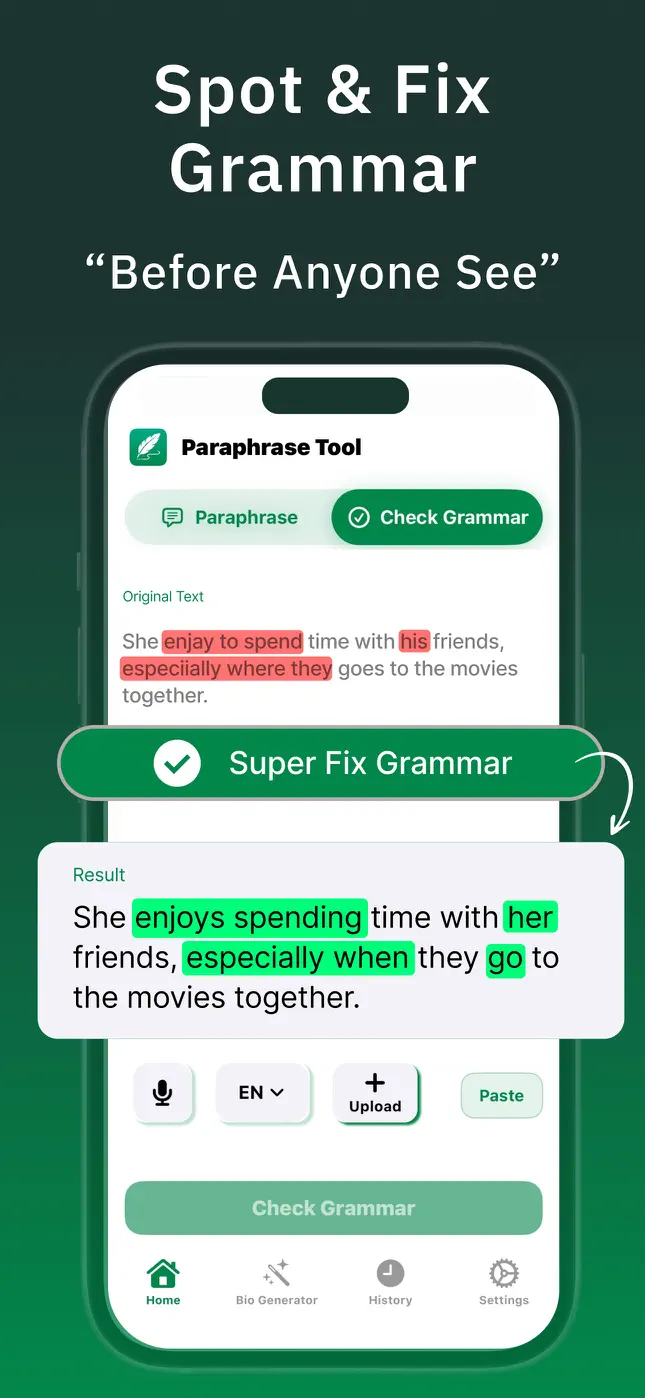
Switch to Check Grammar and the app marks the errors in your text, then gives you a corrected version. Grammar check is free and unlimited, and needs no account.

  • Grammar, spelling and punctuation
  • Mistakes highlighted in the original
  • Free and unlimited, with no sign-up
Grammar check with mistakes highlighted in red and corrections in green

Bio generator

Write or improve your social media bio

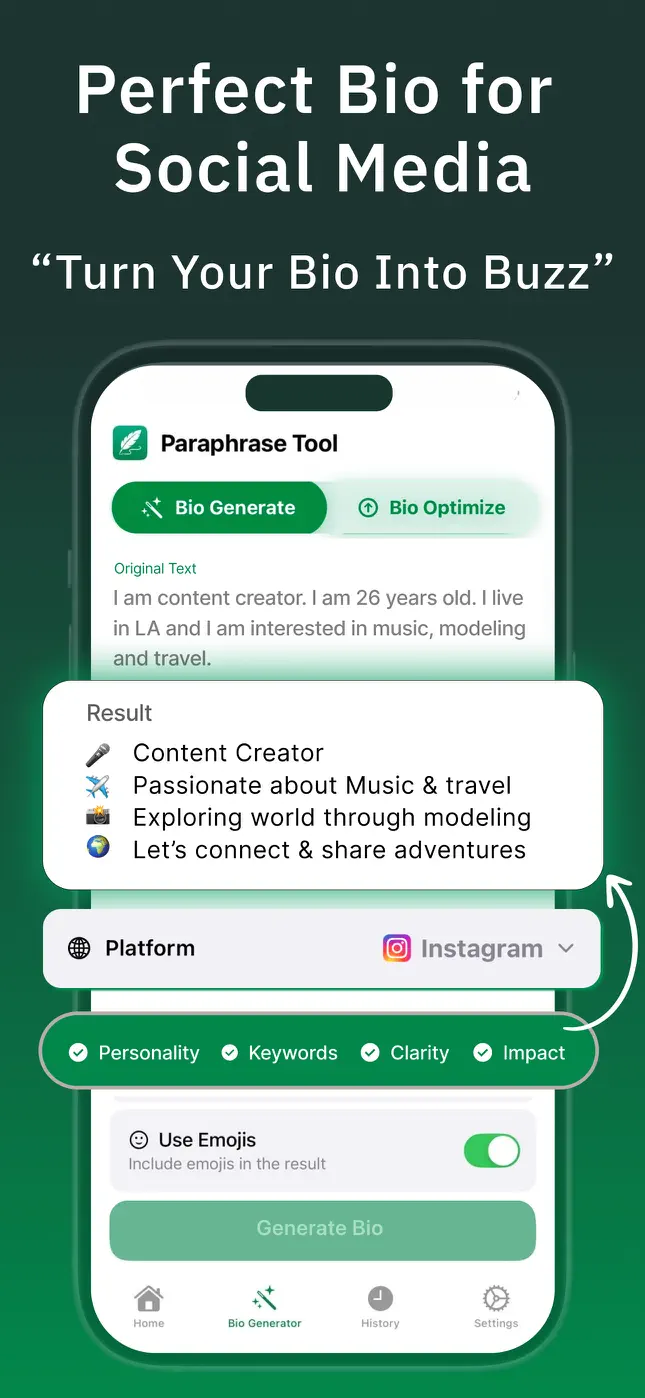
Tell it a few things about yourself and get a new bio, or upload a screenshot of your profile to improve the one you have. Pick the platform and the tone.

  • Write a new bio or improve your current one
  • Instagram, TikTok, LinkedIn and dating apps
  • Professional, casual or flirty tone
Bio generator turning a plain description into a short Instagram bio

Who it's for

Made for anyone who writes on the go

  • Students

    Reword essay paragraphs, check grammar and summarize long readings.

  • Bloggers and writers

    Freshen up a draft or try a sentence in a different tone.

  • Professionals

    Polish emails, reports and LinkedIn summaries before you share them.

  • Social and dating profiles

    Write a bio for Instagram, TikTok, Tinder or Bumble that sounds like you, or answer your Hinge prompts.

FAQ

Questions about Paraphrase Tool

Something else? Email us at [email protected].

Is Paraphrase Tool free?

Free to download. Grammar check is free and unlimited, and you can try paraphrasing, the AI humanizer, the summarizer and the bio generator for free.

How do I paraphrase text with the app?

Open the Paraphrase tab, type, paste or dictate your text (or upload a document, PDF or image), choose a tone and tap Paraphrase. Turn on Humanize Text if you want a more natural, conversational result.

Can it make AI text sound human?

Yes. Turn on Humanize Text and the AI humanizer rewrites AI-generated text so it reads more like a person wrote it, with more natural wording and less repetition. Always read the result and make sure it says what you mean.

Can it summarize long articles or notes?

Yes. The text summarizer turns long essays, reports, articles and notes into a short, clear summary.

Can it write bios too?

Yes. The bio generator writes a new bio from a few details about yourself, or improves the one you have, for Instagram, TikTok, LinkedIn, dating apps and more.

Is my writing saved?

Your paraphrases, grammar checks and bios are kept in History so you can reuse them. History is stored locally on your device, not on our servers.

Which devices does it work on?

Paraphrase Tool runs on iPhone, iPad and Mac.

How do I cancel a subscription?

Subscriptions are managed by Apple. On your iPhone, open Settings, tap your name, then Subscriptions, choose the app and tap Cancel Subscription.

Write it better in a few taps

Free to download. Grammar check is free and unlimited, and you can try paraphrasing, the AI humanizer, the summarizer and the bio generator for free.

Download Paraphrase Tool on the App Store

Privacy policy·Terms of service