

Skip to content
Live Translator app icon

Live Translator · English to Spanish voice translator for iPhone

Translate English to Spanish by voice, and back

Say it in English and hear it in Spanish. When the other person answers in Spanish, read and hear it in English. Live Translator works as you talk, even with no internet.

Download Live Translator on the App StoreDownload Live Translator on the App Store

Free · iPhone

Conversation mode with an English question translated into Spanish and a Spanish reply translated into English
  • Speak, then hear it

    Your words read aloud in Spanish

  • Both ways

    English to Spanish and Spanish to English

  • Conversation mode

    Two people, two languages, one phone

  • Works offline

    Once English and Spanish are downloaded

How it works

How to translate English to Spanish by voice

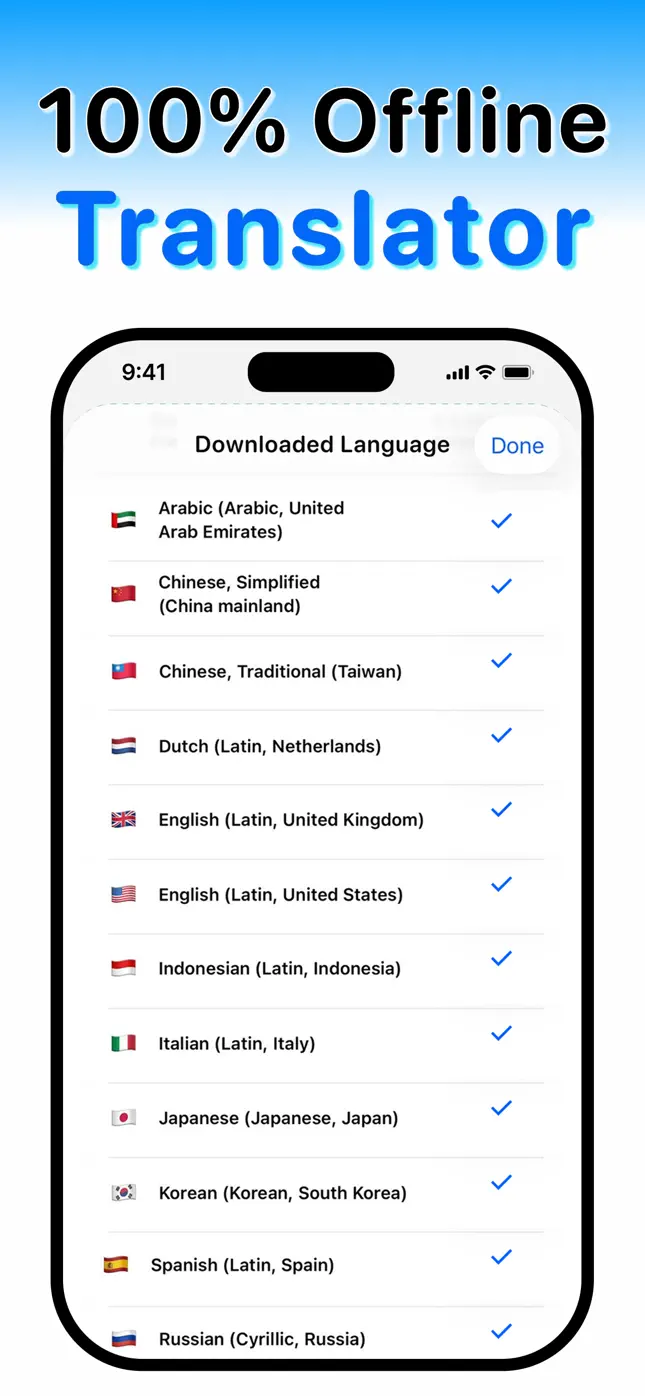
  1. Downloaded languages list with English (UK and US) and Spanish ticked
    1

    Download English and Spanish

    Connect to the internet once and download both languages, ideally before you travel. After that, translation runs on your iPhone with no Wi-Fi or mobile data.

  2. Translate tab recording an English question, with the swap languages button in the middle
    2

    Pick the languages and speak

    Set English on top and Spanish below, then tap the microphone and talk normally. Tap the swap button to go the other way.

  3. Conversation with English and Spanish lines, each with a play button to hear it read aloud
    3

    Read it and play it out loud

    The Spanish translation appears as you speak. Tap play so the other person can hear it, then save or share it if you want to keep it.

Translate English to Spanish by voice

Say it in English, hear it in Spanish

Tap the microphone and speak in English. Live Translator writes down what you said, translates it into Spanish in real time and reads it out loud, so you don't have to guess at the pronunciation.

  • Translation appears while you talk
  • Spanish read aloud with one tap
  • Copy, save or share the result
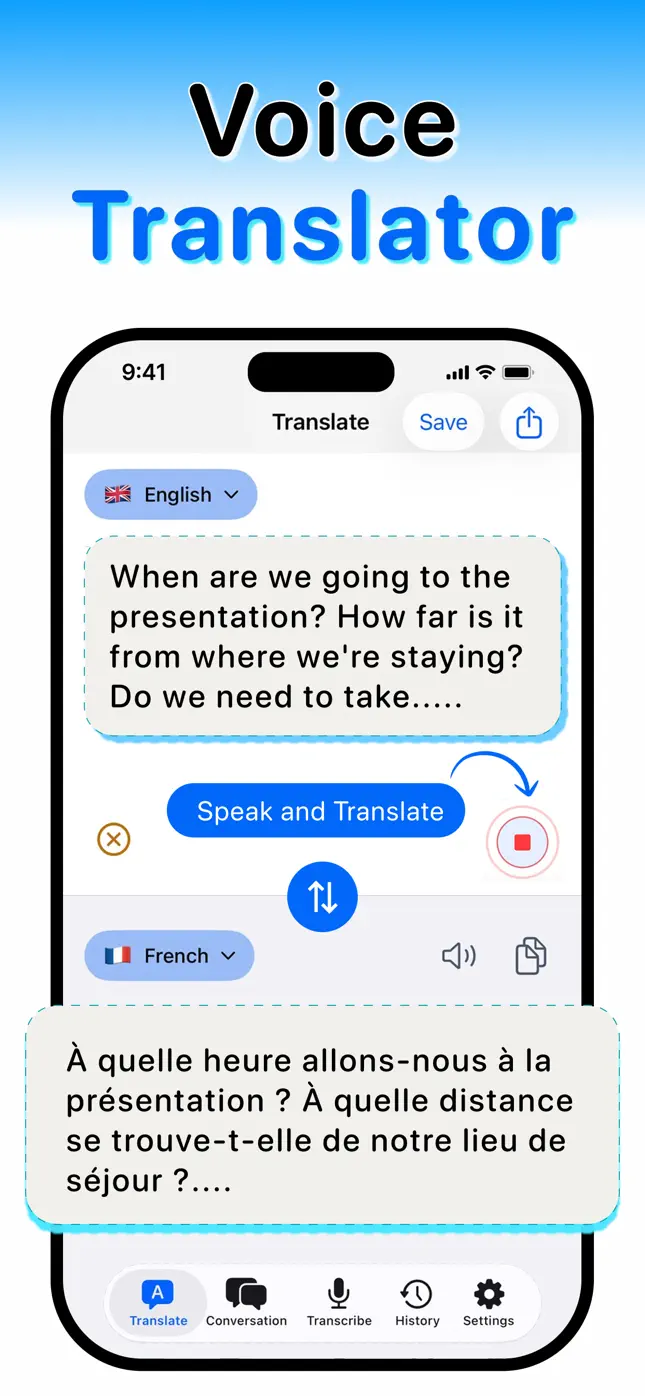
Translate tab with a spoken English question and its French translation, with speaker and copy buttons

Spanish to English voice translator

Understand what's said to you in Spanish

Swap the languages and let the other person speak Spanish. The app writes down their words and shows them in English, and you can play the English out loud too.

  • Spanish speech turned into English text
  • Hear the English translation read aloud
  • Live speech as people talk, not recorded files
Live Translator writing down English speech on screen as it's spoken

English to Spanish translator app

Type it, then hear it in Spanish

Somewhere you can't talk out loud, or need to get a word just right? Type your sentence instead. The Spanish translation appears below and the speaker button reads it aloud.

  • Type or speak, whichever suits
  • Text to speech for every translation
  • Copy the translation into a message
Translate tab with an English question translated into French, with a speaker button to hear it

Spanish voice translator for conversations

Talk with a Spanish speaker on one phone

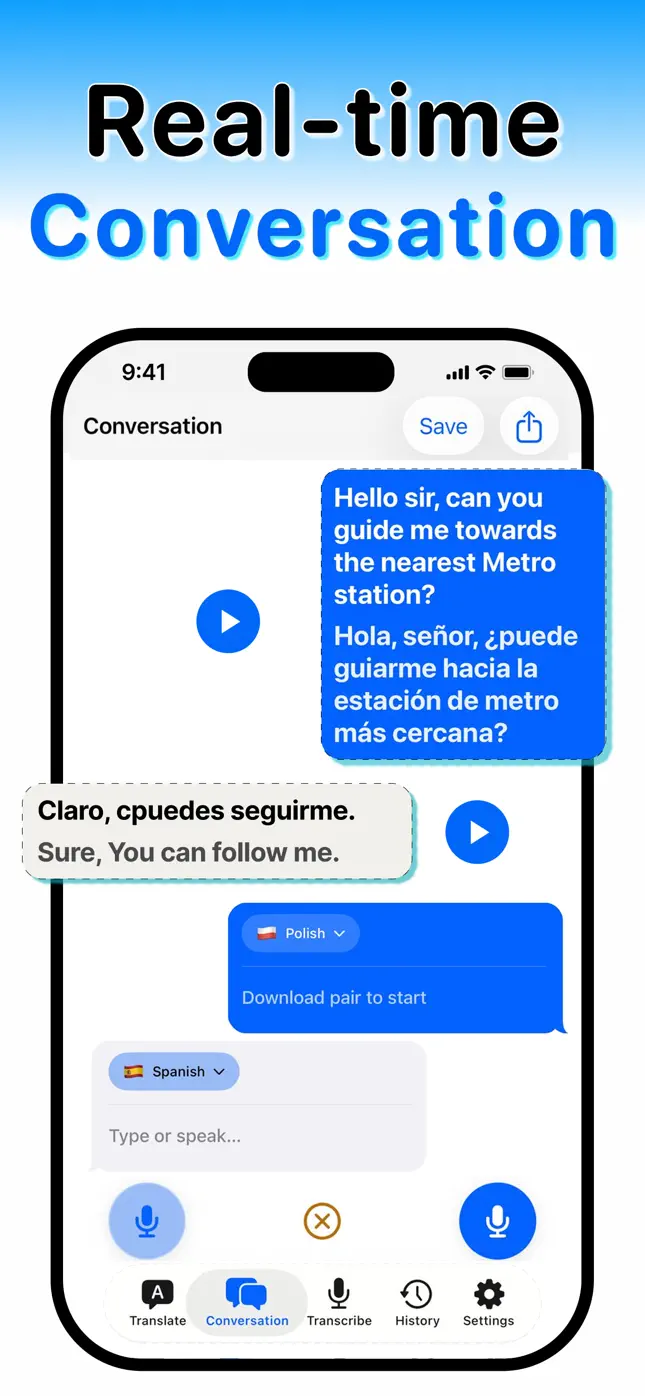
Conversation mode puts both sides of the chat on one screen. You tap your microphone and speak English, they tap theirs and speak Spanish, and each of you reads the reply in your own language.

  • A microphone for each person
  • Original and translation shown together
  • Tap play to hear any line again
Conversation between an English and a Spanish speaker asking for directions to the metro

Live captions

See what's being said as text

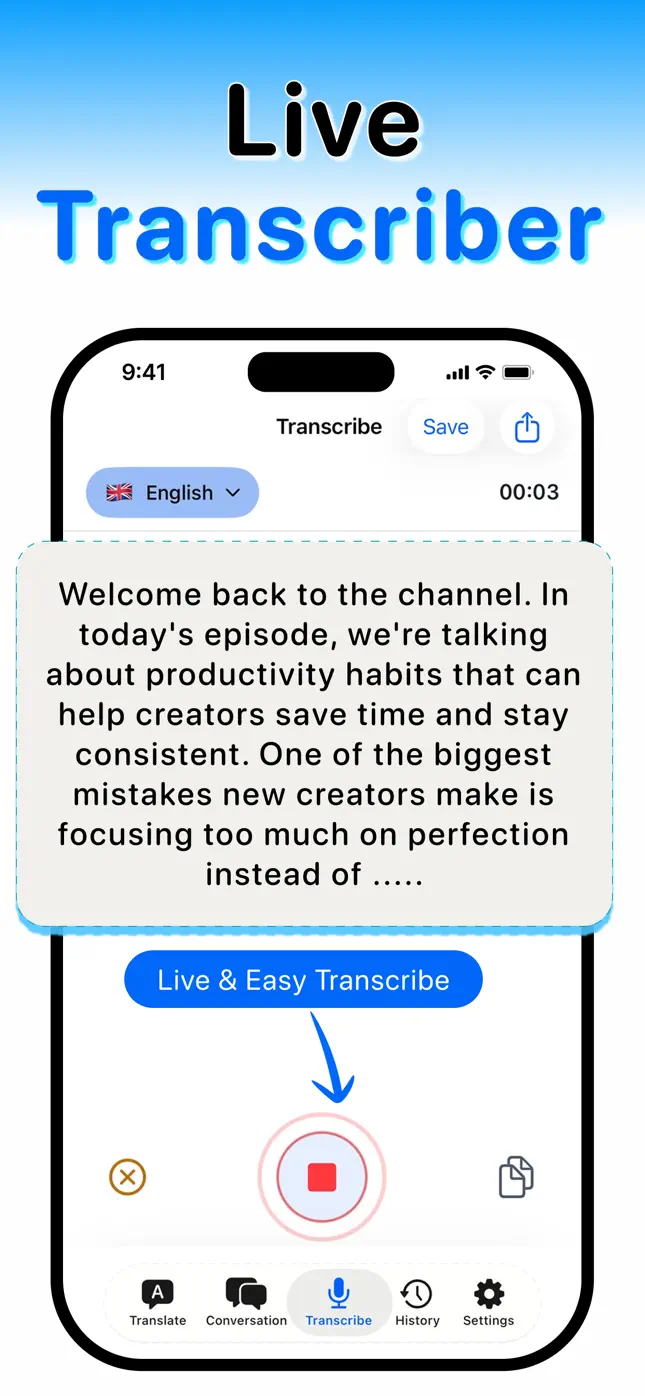
The Transcribe tab turns Spanish or English speech into text on your screen as people talk. It's useful in a class or meeting, or any time you'd like to read along instead of only listening.

  • Speech to text in real time
  • Picks up voices from across the room
  • Save and share the transcript
Live transcription of a speaker, with the text appearing on screen

Offline Spanish translator

Keep translating with no signal

Once English and Spanish are on your iPhone, translation works with no connection: on a flight, in the subway or abroad without a data plan, with no roaming fees.

  • Download each language once
  • No mobile data used while you translate
  • Audio stays on your phone
Downloaded language packs, including Spanish, ready for offline use

Good to know

A quick translator, not a professional interpreter

Live Translator helps you get by in Spanish, but like any translation app it can get things wrong, especially with slang, names, fast speech or a noisy room.

  • Speak clearly, one or two sentences at a time
  • Double-check addresses, times and prices
  • For medical, legal or official matters, use a professional interpreter

Downloading a language needs an internet connection once. The app needs microphone access to hear speech.

Who it's for

For anyone talking across English and Spanish

  • Travelers

    Ask for directions, order food and check in at a hotel on trips to Spanish-speaking countries.

  • Spanish learners

    Hear how a sentence sounds in Spanish, and check what you heard in English.

  • Families and neighbors

    Talk with relatives, friends or neighbors who speak Spanish.

  • Work and service

    Help customers, patients or coworkers who are more at home in Spanish.

FAQ

Questions about translating English and Spanish by voice

Something else? Email us at [email protected].

How do I translate English to Spanish by voice?

Open Live Translator, set English as the first language and Spanish as the second, then tap the microphone and speak. The Spanish translation appears as you talk, and the speaker button reads it out loud.

Can it translate Spanish to English audio?

Yes, as people speak. Swap the languages, let the other person talk in Spanish, and read or hear the English translation. Live Translator translates live speech; it doesn't translate recorded audio files or videos.

Can two people have a conversation in English and Spanish?

Yes. Open the Conversation tab and pick English for one person and Spanish for the other. Each person taps their own microphone and speaks, and the app shows the original and the translation on one screen.

Does it work without internet?

Yes. Download English and Spanish once while you have Wi-Fi, ideally before you travel. After that, voice translation, conversation mode and transcription all run on your iPhone with no internet.

Can I type instead of speaking?

Yes. Type your sentence on the Translate tab and the Spanish translation appears below. Tap the speaker button to hear it read aloud.

Which Spanish does it use?

The app's Spanish option is Spanish (Spain). You can use it for everyday conversations with Spanish speakers.

Is the Spanish voice translator free?

English and Spanish translation is part of Live Translator. Free to download. Try live translation, transcription and conversation mode for free.

Which devices does it work on?

Live Translator is an iPhone app. It needs microphone access to hear speech.

Start talking in Spanish

Free to download. Try live translation, transcription and conversation mode for free.

Download Live Translator on the App Store
See everything Live Translator does

Privacy policy·Terms of service